5.1 Path and home directory
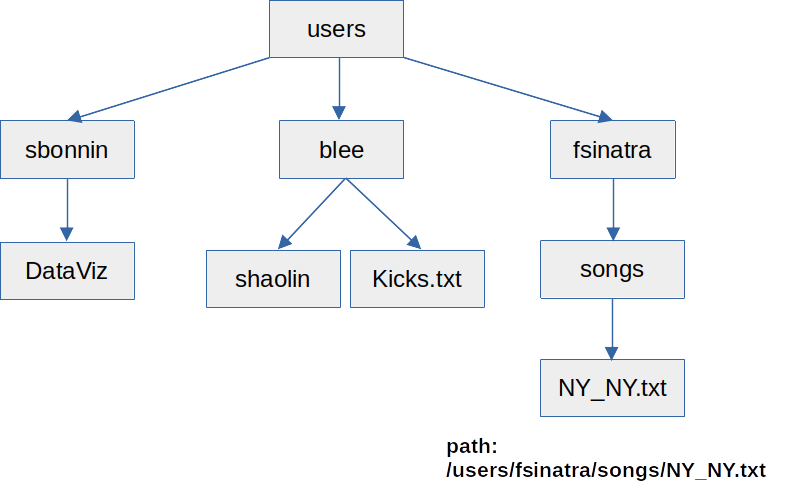
The path of a file/directory is its location/address in the file system.
The home directory is the personal directory assigned to the user (you): path and name to the home directory are similar, although not identical, in all operating systems, for example:
- /users/sbonnin or /home/sbonnin (Linux)
- /Users/sbonnin or /Home/sbonnin (macOS)
- C:\Users\sbonnin or C:\Home\sbonnin (Windows)
The initial “/” or “\” is called the root, which is the top-directory of the hierarchical file system.
Directories branch from the root directory, and can contain both files and sub-directories.
In the examples above, sbonnin is sub-directory of users (or Users), which in turns is a sub-directory of the root.
Example of a tree / organization of directories: